
Central Command For Every SightSensor Camera
Transform scattered alarms into actionable intelligence.
SightMonitor II turns live alarms into a single, map‑based view, letting teams track targets in real time, discover, backup and push updates to every device at a site, control device access, and prove compliance from one lightweight Windows console. SightMonitor II is an optional application that makes managing a larger site even easier.
Key Benefits of SightMonitor II:
- Live map tracking – GPS overlays show exactly where intruders move.
- Multi‑device control – Manage cameras, firmware, and user access from one screen.
- Encrypted audit trails – Backups and logs meet critical‑infrastructure rules.
- Rapid edge setup – Lightweight app auto‑discovers devices in minutes.
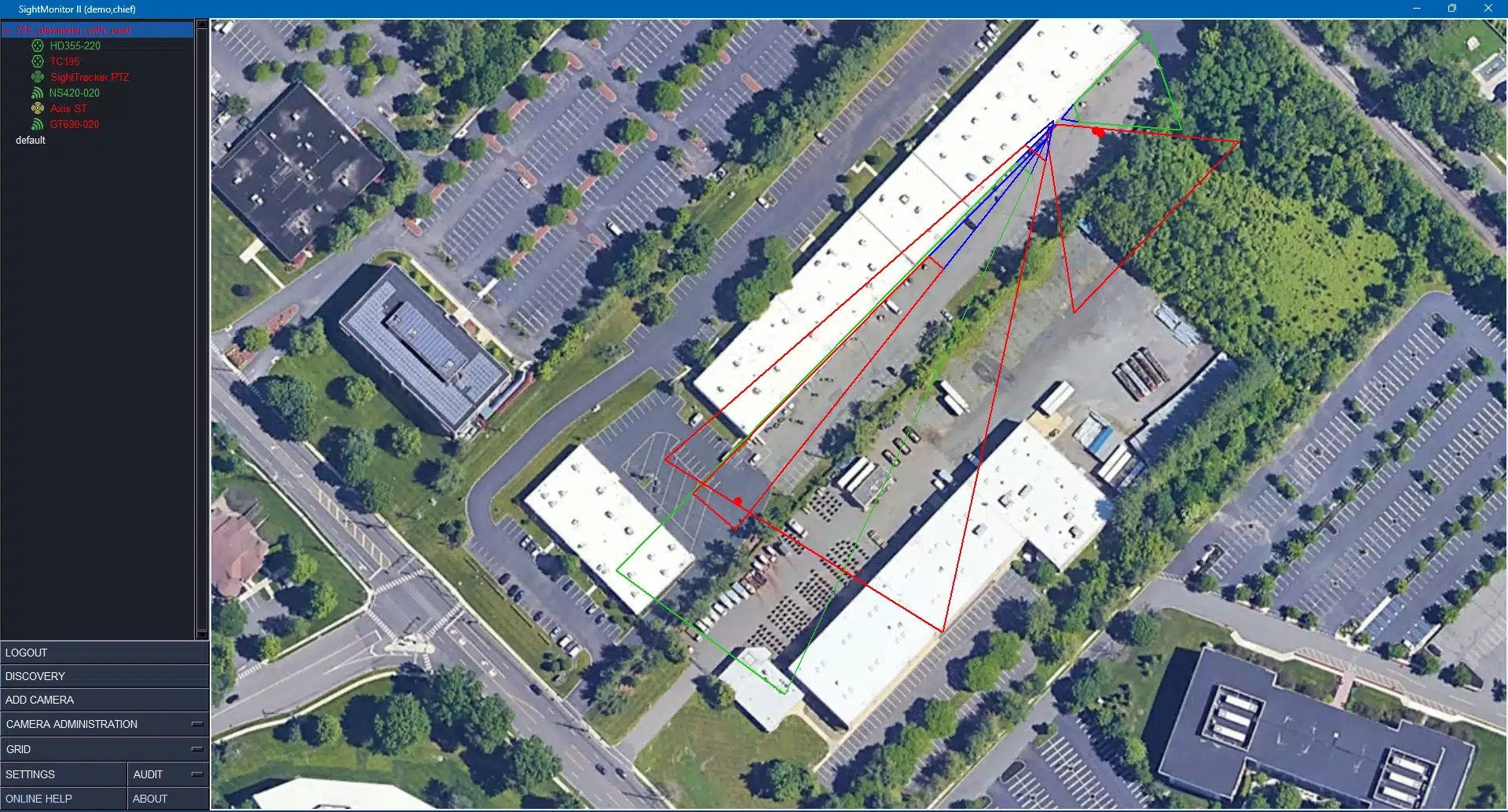
Site-Wide Management
Automate discovery, updates, backups, and user roles across all connected devices.
Live Target Display (Requires Map Calibration)
See detected objects over aerial imagery; targets auto‑update up to ten times per second.
Who It Helps

Systems Integrators
Deliver reliable, enterprise-grade solutions that enhance your reputation with critical infrastructure clients. SightMonitor II provides the remote management and diagnostic capabilities essential for maintaining high-value client relationships.
Business Benefits:
- Remote diagnostics reduce costly site visits
- Template-based configuration accelerates deployment
- Comprehensive audit trails support compliance requirements
- 24/7 monitoring capabilities enhance service offerings

Security Managers
Protect vast territories with limited staff resources. SightMonitor centralized management reduces the operational burden of managing hundreds of cameras across multiple substations and facilities.
Operational Impact:
- Manage multiple sites from a single interface
- Perform site-wide tasks (backups/upgrades, more) with ease
- Manage access/lockout users to WebConfig camera setup
- Maintain regulatory compliance with comprehensive audit trails
System Requirements
- Processor: 2 GHz dual-core processor (I7-core or above recommended)
- Memory: Minimum 4GB RAM (16GB or more recommended for optimal performance)
- Operating System: Currently supported 64-bit versions of Windows
- Network: Standard Ethernet connection for device communication
- Required: SightLogix devices running firmware 15.12 or later
- Optimal Setup: Devices configured using WebConfig with GPS Maps calibration procedure
- Legacy Support: Compatible with devices calibrated using SightMonitor Classic or WebConfig Quick Calibration (with caveats detailed in installation documentation)
- Site Management Only: Quick Calibration sufficient
- Live Target Display: GPS Map Calibration required for accurate target positioning
- SightTracker Integration: GPS Map Calibration required for PTZ target display
- Password-protected user accounts with multiple access levels (Admin and Guard)
- Exclusive Access Mode blocks browser access to device WebConfig
- Audit Feature tracks all logins and configuration changes by user, device, and date
- Encrypted backups ensure secure protection of system data
- Automatic device discovery for simplified deployment

Our Cameras
Our Smart Thermal Cameras
Edge‑driven thermal and dual‑sensor cameras plus PTZ tracking secure perimeters day or night in rain, fog, or glare, detecting threats early and reliably.
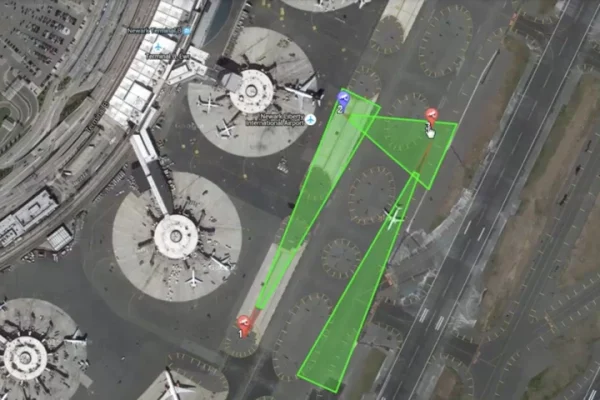
SightSurvey
Site Design Planner
Drag‑and‑drop cameras onto Google Maps, auto‑select lenses, cover blind spots, and export quotes and CAD blocks, finishing compliant designs in minutes.
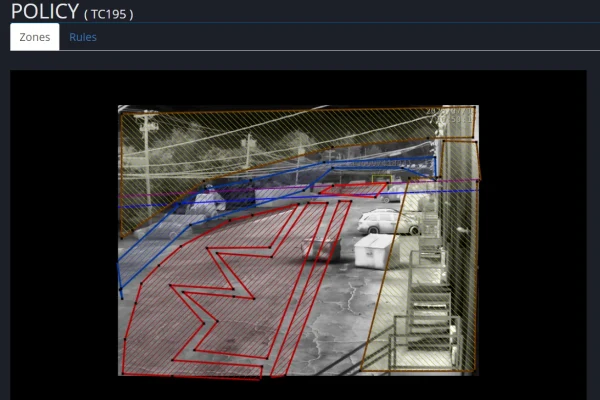
WebConfig
Browser Console
Browser console calibrates cameras, sets analytic zones, and applies security policies with live video feedback, guiding installers through step‑by‑step configuration in minutes.

Get Support
Mission-Critical Support
Certified engineers deliver reviews, firmware pushes, troubleshooting, and fleet health checks, keeping systems online worldwide and resolving ninety‑two percent of tickets remotely.